Dots, Muse, Grok Bot, and MausBot: which AI agent fits you?
Four agents that look alike, but each one does a different job. A comparison of price, data location, and limits from the official pages, and when to pick each one.
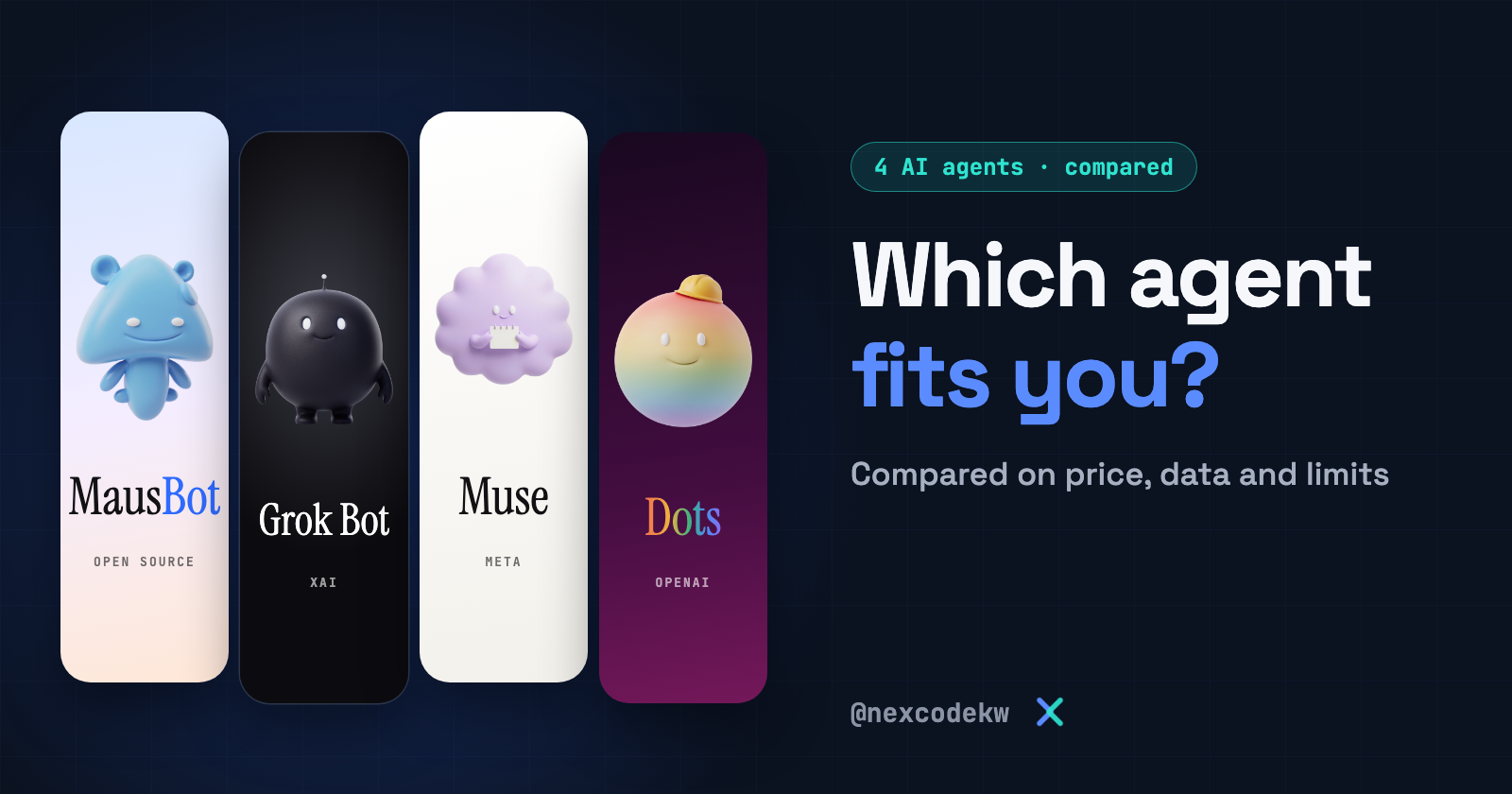
These four AI agents look alike. You give them a goal, they work inside your apps, and they come back to you when they need a decision. But each one was built for a different kind of work.
The short version before the details:
- Dots from OpenAI: for ongoing work inside ChatGPT, if you have a Pro or Business Premium subscription.
- Muse from Meta: for everyday tasks like bookings, shopping, and forms, if it's available in your country.
- Grok Bot from xAI: for a team of bots, each with its own role, that pass work between them.
- MausBot: open source, runs on your machine with the model you choose, but needs more setup.
We wrote this comparison from each tool's official pages on November 4, 2026, and we did not try the tools ourselves. When a number comes from an unofficial source, we say so. These are new products, and their prices and availability change fast, so check the product page before you subscribe.
First: Dots from OpenAI
A dot is an agent that runs continuously inside ChatGPT. Each dot has its own cloud computer and browser, so it keeps working while your device is off. You connect it to your apps, and OpenAI says the plugin ecosystem reaches more than 4,000 apps. You talk to it from ChatGPT, Slack, or Teams.
When you aren't talking to it, it looks in the background for ways to help you, using read-only tools. It doesn't send or change anything at this stage. Before any action that affects your accounts or shares your information, an automatic review decides whether it continues, asks for your approval, or leaves the step to you. Some tasks, such as changing a password, stay yours alone.
openai.com/index/introducing-dots
Here's a request to start with. This example is our own:
Follow customer feedback in Slack every day, and summarize the recurring requests for me every Sunday. Don't send any message or change anything until you have my approval.Second: Muse from Meta
Muse is a personal agent. You give it a goal, and it builds a plan and follows through on it. Meta says it sends emails, books travel, fills out forms, opens the browser, and negotiates on your behalf. It finishes long tasks after you close the app, then comes back to you when something changes or it needs your approval.
For payments, it uses Stripe's Link wallet, which generates a single-use card, so your real card details don't appear. Meta says it comes back to you before sensitive steps, such as sending an email or completing a purchase. Press coverage says it sends reminders based on the contents of your inbox.
You use it from its app, from WhatsApp, or from the muse.ai website. It started in the United States in September 2026, then Canada. Meta announced its arrival in Singapore on October 27, and reports said it reached Japan. We did not find Kuwait or the Gulf countries in the lists we looked at.
about.fb.com/news/2026/09/introducing-muse-personal-ai-agent
Help me plan a trip to London next month. Look up flight and hotel options and sort them by price. Don't book or pay until you have my approval.Third: Grok Bot from xAI
Here you aren't dealing with one assistant. You create bots with specific names and jobs, such as sales, marketing, or operations, and each bot keeps its own memory and context. The bots work at the same time and message each other. Group chats bring them together, and tasks move between them. They keep working while your computer is closed.
Two points the documentation makes clear:
- You don't pick the model. Grok Bot has no option for choosing it. It picks a model for each task, which may come from the company itself or from a third party, and it doesn't tell you which one it used. So it isn't limited to Grok models, as some comparisons claim.
- All your bots share one computer. They use the same cloud computer, with its files, browser sessions, and logins. That's why the documentation warns you not to rely on bot separation as a security boundary between them.
You're in charge of sales follow-up. Review the messages that haven't been answered this week, and write a draft reply for each customer. Don't send anything until you have my approval.Fourth: MausBot, open source
MausBot is a chat app where you run a team of bots. It's free and open source under the Apache 2.0 license. It doesn't come with its own model. It runs the claude, codex, or grok tools installed on your machine, using your existing subscriptions. You choose each bot's model, computer, and apps. The computer is a cloud desktop, an isolated virtual machine, or your own machine where the operating system supports it.
Logs and keys stay in a folder on your machine, but whatever you send to the model goes to its provider, of course. Sensitive steps appear as allow-or-deny cards inside the chat. The project's website says coverage of these approvals depends on the engine and the tool, so don't treat them as guaranteed in every case.
Download it from the official download page for Mac, Windows, or Ubuntu. You also need an account with a model provider or an API key:
Or run it with this command:
npx openmausbotThe official repository is milind-soni/OpenMausBot. At the time of writing it has about 12k stars, and the latest release is v0.1.140. The project describes itself as early-stage. Its maintainers also warn that it has no cryptocurrency, so any coin carrying its name has nothing to do with it.
github.com/milind-soni/OpenMausBot
Organize my inbox: sort this week's messages by importance, and write draft replies. Don't send or delete any message until you ask for my approval.How the prices differ
- Dots: part of the ChatGPT Pro plans, which start at the Pro 100 plan, and part of Business Premium. Your first dot is included. According to a third-party review, it isn't available on Plus, Go, or the free plan. Additional dots don't have a price yet.
- Muse: Meta says it's free for most of what people need, with paid plans on top. Unofficial sources say the Power plan is $20 and the Maximum plan is $100 a month.
- Grok Bot: no free plan includes it. It comes with The X Subscription on the Premium, Super, and Ultra plans, and with previous paid Cursor plans. Some accounts may get a 7-day trial.
- MausBot: the app is free and you pay the model provider. If you want a cloud computer for your bots, Cloud plans cost $15, $49, and $99 a month.
Where does your data live?
- Dots: on a cloud computer at OpenAI, and your own computer stays separate from it unless you connect it. On personal plans, you control whether its conversations are used to improve the models.
- Muse: on a cloud virtual machine dedicated to you at Meta, along with a separate agent that monitors Muse's internet connection. Meta says the data doesn't go to its ad systems and that you can turn off its use for training. Encryption with a key only you hold is something Meta has promised for later.
- Grok Bot: on a cloud computer that the documentation says runs in Cursor's cloud, and it requires data storage. Training settings follow your Cursor account.
- MausBot: logs and keys are on your machine, and whatever the model reads reaches its provider.
Each one's limits
- Dots: runs on the GPT-6 model family. The Pro plan isn't available in the European Economic Area, the UK, or Switzerland, and the rollout is gradual even in eligible countries. OpenAI warns that it can make mistakes, so review important work.
- Muse: available in a limited number of countries so far.
- Grok Bot: you don't choose the model, and you don't get real isolation between your bots.
- MausBot: it stops when your machine does, unless you run it on a cloud computer or a server. It needs tools that are installed and signed in. Its Windows installer isn't signed yet, so you'll see a warning when you install it.
Which one should you pick?
- You have ChatGPT Pro or Business Premium: start with Dots, since the first one is included in your subscription.
- You want an assistant for your daily life: Muse, if it's available in your country and you accept having your data in Meta's cloud.
- You want a team that works while your computer is closed: Grok Bot, or Dots if one agent is enough for you.
- You want your logs on your machine and your own model: MausBot, if you're ready to set it up and you accept a project in its early days.
If you want a wider comparison, the MausBot site has detailed comparison pages. They're written by the product's owner, so keep that in mind as you read.
mausbot.com/blog/which-ai-agent-should-i-use
What to watch out for
Start with few permissions. These tools work inside your email and your apps. Connect one app, try a small task, then expand.
Approval doesn't fix what already happened. Don't approve a step you don't understand. Grok Bot's documentation says approval only controls the proposed action and doesn't undo what has already been carried out.
What the tool reads can trick it. An email or a web page can carry hidden instructions aimed at the agent. Companies are adding protections against this, but don't treat the risk as over, especially with payments and sensitive data.
Confirm availability before you pay. Countries and plans change from one week to the next, and seeing the app doesn't mean it works in your country.
Follow us at @nexcodekw.